A tradition at many elementary schools in our District is for our Grade 7 students to morph 2 pictures of themselves together; one from their Kindergarten year, and one from their Grade 7 year. These morphings are shown in a slideshow at the year end assembly or perhaps at the Grade 7 Dinner/Dance. I wanted to make an easy "how to" Screenr video about using the morphing program Sqirlz Morph, so that our Grade 7 students could morph their own photos and alleviate some of the jobs often taken on by our teachers or administrators during the busy month of June. I have seen Screenr instructional videos a lot lately and wanted to expand my repertoire of tools to reach students in this fashion. My plan is to put the tutorial video on each child's desktop so they can watch it and refer to it throughout the assignment where needed. I also think this is a neat way to teach concepts to kids, it lets them move at their own pace, and it can free me up to work with more kids since I "pre-teach" lessons via video. In the future I could even create a whole set of technology tutorial videos with Screenr, and put them on our Library website for kids to use when they visit and do activities with me using laptops, or perhaps in a flipped classroom, or even for teachers to learn from so they can teach their classes using the programs I have made videos about.
I have learned a lot about new ways of using technology that I was not aware of prior to taking this course. My final project of morphing is a bit of a metaphor for my journey and learning in terms of how I have changed and grown. I have learned that I can incorporate technology more frequently in the Library through gaming, using programs such as Photostory, Powerpoint, Scratch, and Sqirlz Morph to engage learners and enable them to demonstrate their learning in new and motivating ways. I have gained an appreciation for sharing what I learn through blogging, and that I have a more concrete network of other educators interested in making their practice, and themselves, better at what they do. I have learned that everything will be fine when your plan goes off track, and in fact that is possibly when deeper learning can actually occur. I learned when you are making a Screenr screencast that you should turn the ringer off your phone or you will have to start over. (my final project was completed on about the 8th attempt!). I also had trouble embedding my Screenr videos here in Blogger, so the link is below instead of the actual screencast. My heartfelt thanks and appreciation to Brad Pitt for being a handsome man and such a good sport.
My purpose has always been, and will continue to be, finding ways to kindle motivation in students of all ages I have the privilege of working with in the Library. My rationale is that I am in my second year as a Librarian and I wanted more authentic learning in my time with students rather than a 40 minute block looking through books the whole time. In truth, I felt I could do a much better job as a Librarian if I worked at it more. I have engaged more students and colleagues as a result of taking this course and I look forward to continue using technology together to improve our practice. Some of my key learnings from this course are to always keep trying new things as a professional, stretch your experiences, connect with others who have great ideas, and never give up on finding new ways to engage kids by including them in the process.
Link to my 5 minute Sqirlz Morph tutorial on Screenr that is my Final Vision Project: https://www.screenr.com/G26N
Link to the end result of my morphing project since 5 minutes wasn't quite long enough on Screenr:
https://www.screenr.com/426N
It's been really fun and a positive experience. Best of luck to everyone else in thier learning journey.
Photo #1 courtesy of:
http://2.bp.blogspot.com/-N9ribE-nEAc/UwYn4gCBFI/AAAAAAAAeJg/cNgK4DiIKO8/s1600/keep-calm-the-end-is-near-6.png
Photo #2 courtesy of:
https://www.surreyschools.ca/schools/kennedytrail/FeaturedStories/Grade%207%20Grad.jpg
Photo #3 courtesy of:
http://indyquillen.com/iq_dsr/wp-content/uploads/2013/10/Railroad_tracks.jpg
Photo #4 courtesy of:
https://worldofenrichment.files.wordpress.com/2012/09/istock_000006456892small1.jpg
Showing posts with label Screenr. Show all posts
Tuesday, 31 March 2015
Monday, 30 March 2015
Final Vision Project Contents: Houston, We Have A Problem....
There's an old phrase about how "failing to plan is planning to fail". Is there a saying about what happens when you have a good plan but it gets derailed? So I got a bit behind on my blog post assignments because I was trying to have some "me time" (a.k.a. time with my family and not thinking about work or this course) over Spring Break, then I watched Aaron's video about how we are pretty much out of time. The end of the course kind of snuck up on me. I had planned to use the Program Scratch to engage our Intermediate students, with the help of our District Technology Teacher, and make an instructional video about the project using Screenr, while creating a makerspace in our Library for my final vision project.
Photo #1 courtesy of:
https://peonut.files.wordpress.com/2014/01/20140120-133002.jpg
Photo #2 courtesy of:
http://www.foxburginn.com/wp-content/uploads/2014/11/Time-is-running-out.jpg
Photo #3 courtesy of:
https://tabootrinity.files.wordpress.com/2009/03/no-money1.jpg
Photo #4 courtesy of:
http://a4.mzstatic.com/us/r30/Purple/v4/4e/f6/06/4ef60691-7cb6-9d21-ea0b-88735dd29906/screen320x480.jpeg
With us only returning to school today from Spring Break, and the District Technology Teacher not coming in to work with me on my Scratch Project until after Easter, combined with the fact that my Library budget was depleted due to Battle of the Books, I will be unable to use this idea for my Final Vision Project. I will still be doing the Scratch Project with our Intermediate students, working closely with the District Technology Teacher, and creating an instructional video with Screenr, but they won't be happening for this course. Likewise about the makerspace until I get some funding to purchase materials. These were all ideas gleaned from taking this course, so in the end my practice and passion both have improved as a result of learning about these resources that I think our students will love and will improve our Library, so it will not be a total loss. So these are some of the problems, issues, and roadblocks that I have encountered. Like any obstacle though, it is about how you adapt and move past them as you go forward that is important. I have chosen to amend my previous project and postpone it while I pursue another worthy task.
That being said, my new and revised plan is to create a Screenr video for my Final Vision Project for another assignment with our Grade 7 students. Many of the schools in our District have a nice little tradition for the "graduating" grade 7 students. They "morph" their kindergarten picture with their grade 7 picture for a slideshow at the year end assembly to honor the students as they leave the school. For my Final Vision Project I am going to create a "how to" Screenr video about the morphing program on our District laptops called Sqirlz Morph. My hope is that other teachers in our District will use it to show their grade 7 students how to morph their photos so they can do the work that is often left for teachers or administrators to do at the end of the year which is already a very busy time. I have been fiddling with Screenr and my various scripts, but have not gotten to the editing part, though so far it seems very intuitive and user friendly.Photo #1 courtesy of:
https://peonut.files.wordpress.com/2014/01/20140120-133002.jpg
Photo #2 courtesy of:
http://www.foxburginn.com/wp-content/uploads/2014/11/Time-is-running-out.jpg
Photo #3 courtesy of:
https://tabootrinity.files.wordpress.com/2009/03/no-money1.jpg
Photo #4 courtesy of:
http://a4.mzstatic.com/us/r30/Purple/v4/4e/f6/06/4ef60691-7cb6-9d21-ea0b-88735dd29906/screen320x480.jpeg
Monday, 2 March 2015
Summarizing and Discussing Phase 2 Topics and Interests
One of my main takeaways so far in this course is that I need to stop whining about technology issues in my District and move on with trying to make learning awesome with our students and staff in my role of Librarian, Vice-Principal, and classroom teacher. Mostly because whining accomplishes and changes nothing, but moreso because it likely impedes my forward progress and personal growth, not to mention that it gives me an excuse for doing things the same way I have always done them. I think that impacts my direction by allowing me to let go and simply enabling me to explore new avenues in my personal and professional practice.
For instance, using Screenr to create videos for the classes I work with in the Library using technology, or even getting to blog on a weekly basis to flesh out my ideas has been helpful to my learning. Something else I will take is this community of classmates I've had the pleasure of following via their blogs, and though I haven't commented on all of them, I have enjoyed reading about all the cool things they are doing to change their practice. I hope they continue to blog and share in the same fashion that I intend to after this course is finished. In fact, another item of exploration I plan to continue using is my blog. I would like it to be a part of our school's website if the District will allow it, as I think it could be a great way to communicate with students and families, and to discuss books or learning ideas with the larger community.
I am always interested in finding something new I can do with students in the Library using technology. I think it is a way to motivate them and to kindle excitement about learning, which is my main focus as we move forward. I plan to use the program Scratch with students after Spring Break, where they will be creating a personal project, and with the help of our District Technology teacher I hope it helps generate the enthusiasm for learning that I desire for our kids. Something else I will explore further is how my various roles in the school allow for more collaboration with staff to improve student learning.
Because I am trying different things with technology in the Library, and gaining confidence and experience using them, it only seems natural to extend that into classrooms with teachers as well. Since I have tried a few new ideas as a result of taking this course, some of our staff have noticed and asked how they can also use them with their classes. I am looking forward to working together with them to see how we can co-teach together, utilizing technology, to enhance student learning and engagement before the year ends.
Photo #1 courtesy of: http://omnipotentpoobah.com/wp-content/uploads/2014/06/no-whining.jpg
Photo #2 courtesy of: http://multimedialearning.com/wp-content/uploads/2009/08/i-heart-screenr.png
Photo #3 courtesy of: http://www.catrobat.org/images/scratch.jpg
Photo #4 courtesy of: http://blog.businessdecision.com/wp-content/uploads/2015/01/collaboration-1.jpg
For instance, using Screenr to create videos for the classes I work with in the Library using technology, or even getting to blog on a weekly basis to flesh out my ideas has been helpful to my learning. Something else I will take is this community of classmates I've had the pleasure of following via their blogs, and though I haven't commented on all of them, I have enjoyed reading about all the cool things they are doing to change their practice. I hope they continue to blog and share in the same fashion that I intend to after this course is finished. In fact, another item of exploration I plan to continue using is my blog. I would like it to be a part of our school's website if the District will allow it, as I think it could be a great way to communicate with students and families, and to discuss books or learning ideas with the larger community.
I am always interested in finding something new I can do with students in the Library using technology. I think it is a way to motivate them and to kindle excitement about learning, which is my main focus as we move forward. I plan to use the program Scratch with students after Spring Break, where they will be creating a personal project, and with the help of our District Technology teacher I hope it helps generate the enthusiasm for learning that I desire for our kids. Something else I will explore further is how my various roles in the school allow for more collaboration with staff to improve student learning.
Because I am trying different things with technology in the Library, and gaining confidence and experience using them, it only seems natural to extend that into classrooms with teachers as well. Since I have tried a few new ideas as a result of taking this course, some of our staff have noticed and asked how they can also use them with their classes. I am looking forward to working together with them to see how we can co-teach together, utilizing technology, to enhance student learning and engagement before the year ends.
Photo #1 courtesy of: http://omnipotentpoobah.com/wp-content/uploads/2014/06/no-whining.jpg
Photo #2 courtesy of: http://multimedialearning.com/wp-content/uploads/2009/08/i-heart-screenr.png
Photo #3 courtesy of: http://www.catrobat.org/images/scratch.jpg
Photo #4 courtesy of: http://blog.businessdecision.com/wp-content/uploads/2015/01/collaboration-1.jpg
Monday, 9 February 2015
Does ICT stand for I Can't Think (of one way that PC is better than MAC?!)
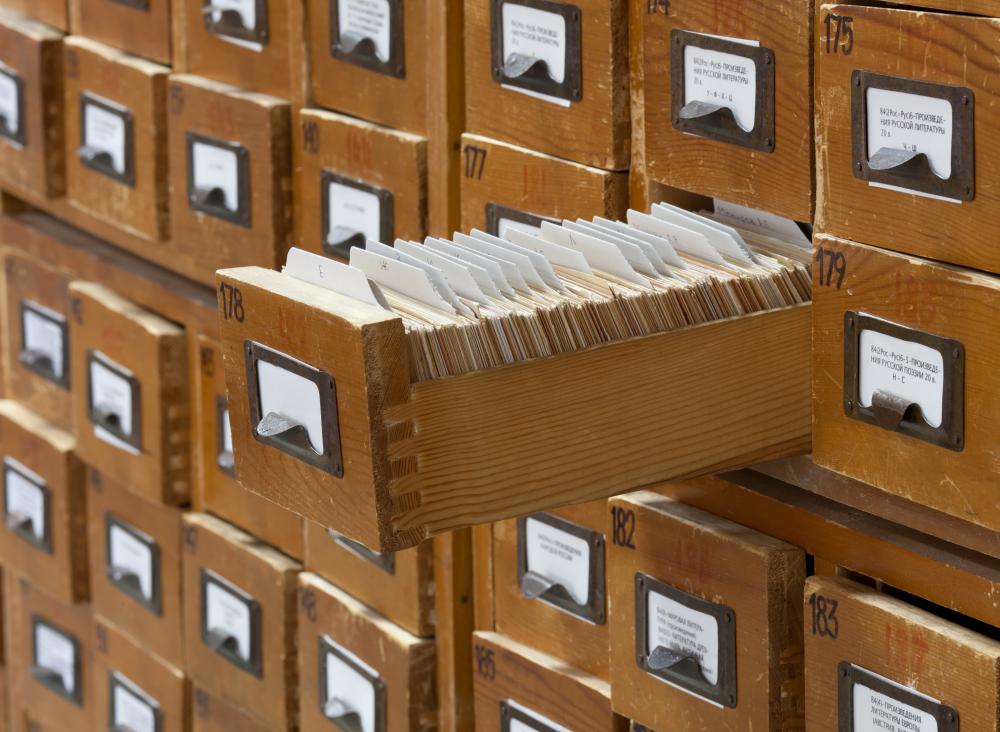
It is really tough to get psyched up about developing my own ICT Skills and Pedagogy when our District is going through a switch from Mac (read: awesome and user friendly) to PC (read: a complete disaster with constant problems) and I can't even upgrade things on my personal school laptop, let alone be a leader in my Library when my computers in there aren't even functional yet. I'd have better luck teaching students how to use a card catalogue to find books!
That being said, this course has certainly opened my eyes and pedagogy to new ways of connecting with others and ways of developing my practice. From the start, I thought Screenr seemed like a cool tool I could use to teach students about using programs so I created an account, but as of yet have not created a video. I'm thinking I will make one for the project students will create using the program Scratch after Spring Break. I'd like to see how using a video from Screenr to teach something compares to me doing it "in the moment" with my laptop and projector when I often have little post it notes about what to "remember" to tell the students.
I have already invited the District IT teacher in to our Library to work with Intermediate students on projects using PhotoStory 3, which has been great and engaging for everyone, except when our network crashes and our laptops have issues that I cannot solve or help with after she leaves. I have to admit I also enjoy reading other people's blogs and can see that as a way to sustain my learning and continue connecting with my LIBE 477 colleagues, especially the ones in my District with whom I have been grouped. Once our technology "upgrade" gets completed and more stable I plan on having a Library Blog for our school attached to the Library page of our school website.
Speaking of our school, I will continue to use the resources of our staff that are also involved in an inquiry project to help me during mine. After watching this week's video, I would say I am more inclined to use Delicious rather than Diigo as I found the interface way more user friendly. I should also utilize Twitter more as a way to connect with other educators, and while I have an account, I rarely tweet or do more than follow others in a superficial way.
Photo #1 courtesy of: http://mnkusi.com/images/ICT%20Pic.PNG
Photo #2 courtesy of: http://images.wisegeek.com/library-card-catalogs.jpg
Photo #3 courtesy of: http://digitallearningmedia.com/wp-content/uploads/2012/10/screenr.png
Photo #4 courtesy of: http://farm4.staticflickr.com/3130/2836828090_67d4900ab3_o.jpg
Photo #5 courtesy of: http://cdn.pamorama.net/wp-content/uploads/2012/11/the-perfect-length-of-a-tweet-is-70-110-characters.png
That being said, this course has certainly opened my eyes and pedagogy to new ways of connecting with others and ways of developing my practice. From the start, I thought Screenr seemed like a cool tool I could use to teach students about using programs so I created an account, but as of yet have not created a video. I'm thinking I will make one for the project students will create using the program Scratch after Spring Break. I'd like to see how using a video from Screenr to teach something compares to me doing it "in the moment" with my laptop and projector when I often have little post it notes about what to "remember" to tell the students.
I have already invited the District IT teacher in to our Library to work with Intermediate students on projects using PhotoStory 3, which has been great and engaging for everyone, except when our network crashes and our laptops have issues that I cannot solve or help with after she leaves. I have to admit I also enjoy reading other people's blogs and can see that as a way to sustain my learning and continue connecting with my LIBE 477 colleagues, especially the ones in my District with whom I have been grouped. Once our technology "upgrade" gets completed and more stable I plan on having a Library Blog for our school attached to the Library page of our school website.
Speaking of our school, I will continue to use the resources of our staff that are also involved in an inquiry project to help me during mine. After watching this week's video, I would say I am more inclined to use Delicious rather than Diigo as I found the interface way more user friendly. I should also utilize Twitter more as a way to connect with other educators, and while I have an account, I rarely tweet or do more than follow others in a superficial way.
Photo #1 courtesy of: http://mnkusi.com/images/ICT%20Pic.PNG
Photo #2 courtesy of: http://images.wisegeek.com/library-card-catalogs.jpg
Photo #3 courtesy of: http://digitallearningmedia.com/wp-content/uploads/2012/10/screenr.png
Photo #4 courtesy of: http://farm4.staticflickr.com/3130/2836828090_67d4900ab3_o.jpg
Photo #5 courtesy of: http://cdn.pamorama.net/wp-content/uploads/2012/11/the-perfect-length-of-a-tweet-is-70-110-characters.png
Subscribe to:
Posts (Atom)